SH Elevator Documentation
SH Elevator – WordPress FSE Block Theme
1. Introduction
SH Elevator is a Full Site Editing (block) WordPress theme for elevator companies, lift manufacturers, installation and maintenance providers. It is responsive, SEO friendly, translation ready, RTL ready and supports WooCommerce.
| Requires WordPress | 6.4 or higher |
|---|---|
| Tested up to | 7.1 |
| Requires PHP | 7.4 or higher |
| WooCommerce | 6.0 – 11.1 |
| License | GNU GPL v3.0 |
2. Installation
Via WordPress dashboard
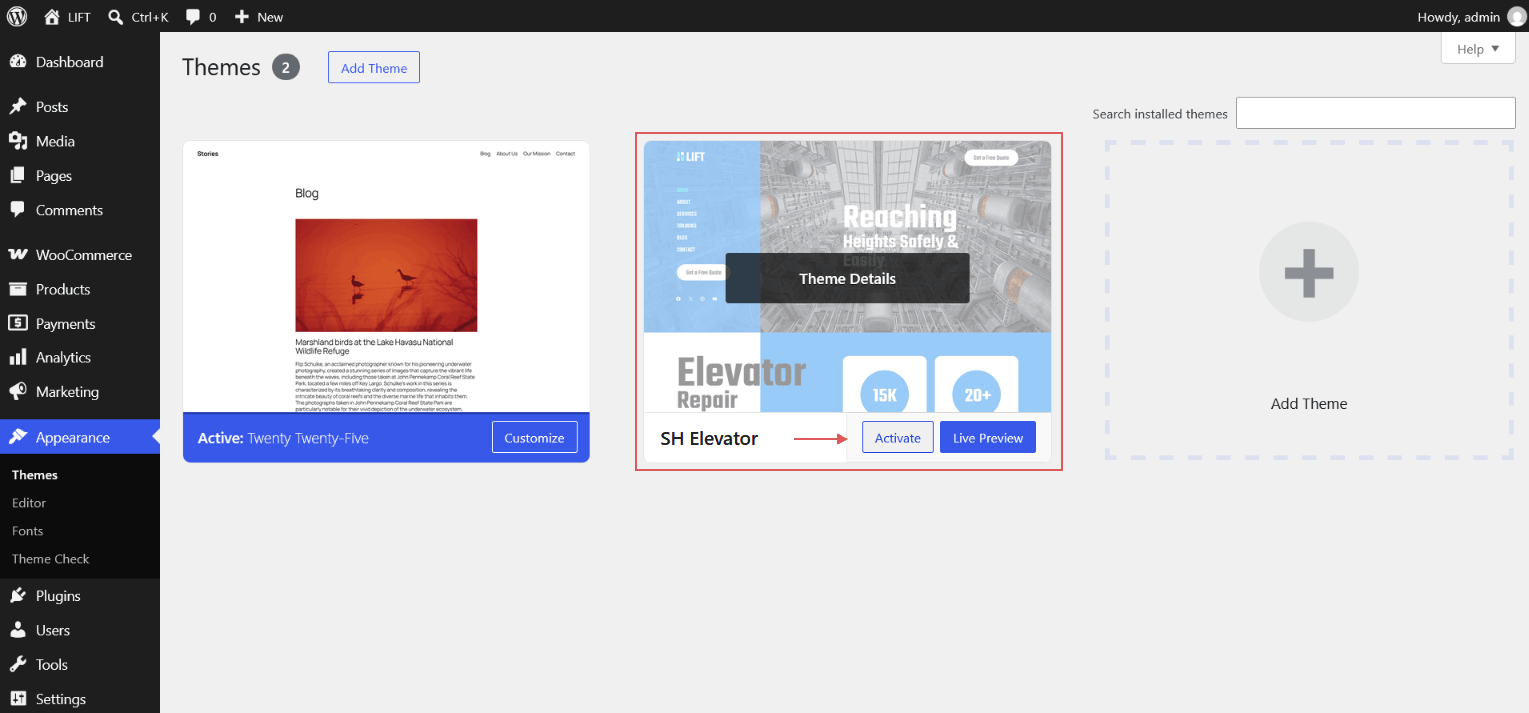
- Go to Appearance → Themes → Add New → Upload Theme.
- Choose
sh-elevator.zipand click Install Now. - Click Activate.
Via FTP
- Unzip the theme package.
- Upload the
sh-elevatorfolder to/wp-content/themes/. - Activate it from Appearance → Themes.
3. How to Set Home Page
After activating the theme, follow these steps to set a static home page:
Step 1 – Create the pages
- Go to Pages → Add New.
- Enter the title Home and click Publish.
- (Optional) Create another page named Blog to display your latest posts and click Publish.
Step 2 – Assign the home page
- Go to Settings → Reading.
- Under Your homepage displays, select A static page.
- Set Homepage to Home and, optionally, Posts page to Blog.
- Click Save Changes.
4. Recommended Plugins
- WooCommerce – to showcase and sell lifts, components and accessories.
5. Site Editor Basics
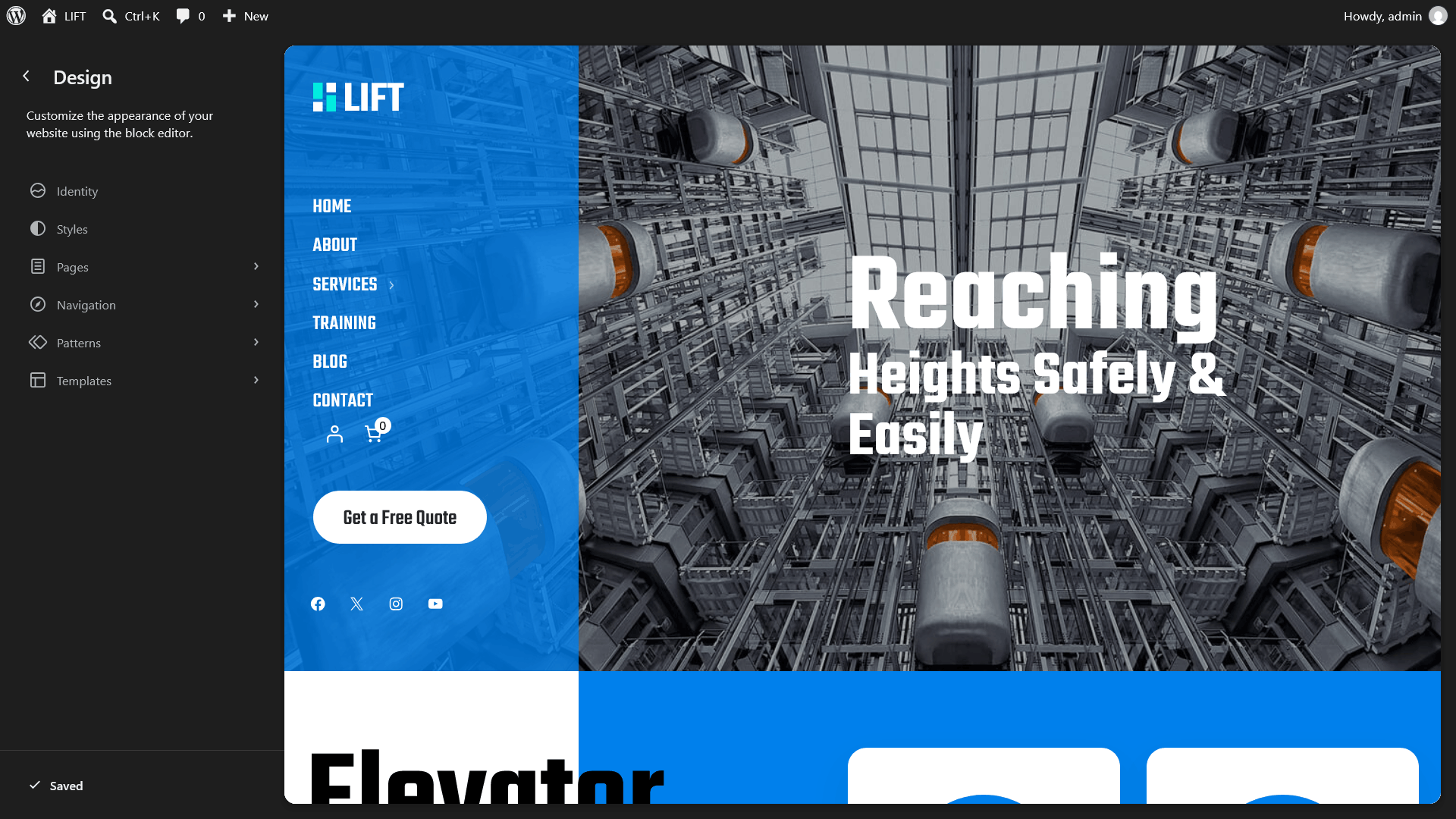
This is a block theme, so there is no Customizer. Everything is edited from Appearance → Editor:
- Navigation – menus
- Styles – colors, typography, layout, style variations
- Pages – edit page content
- Templates – edit page/post/product layouts
- Patterns – template parts and reusable patterns
6. How to Use Patterns
- Go to Pages → Add New, create a page.
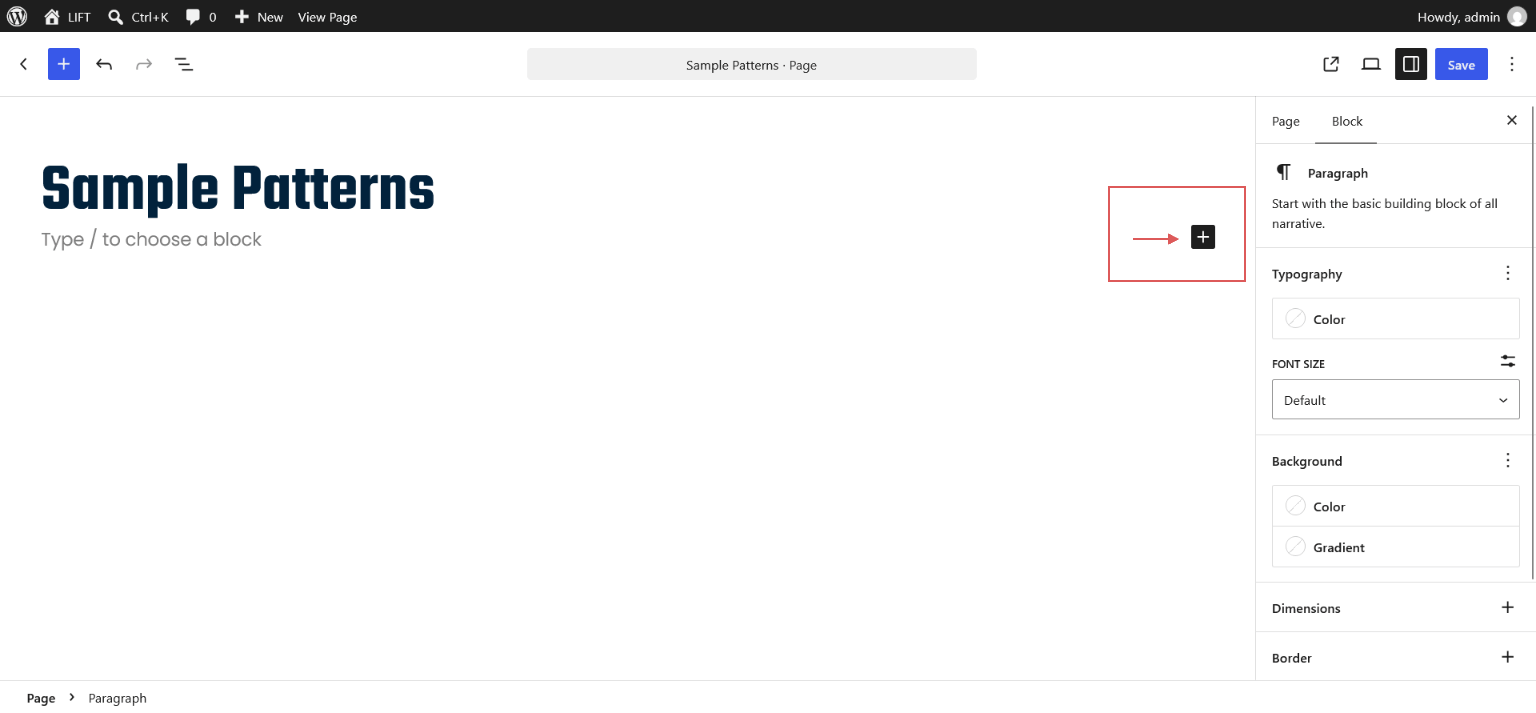
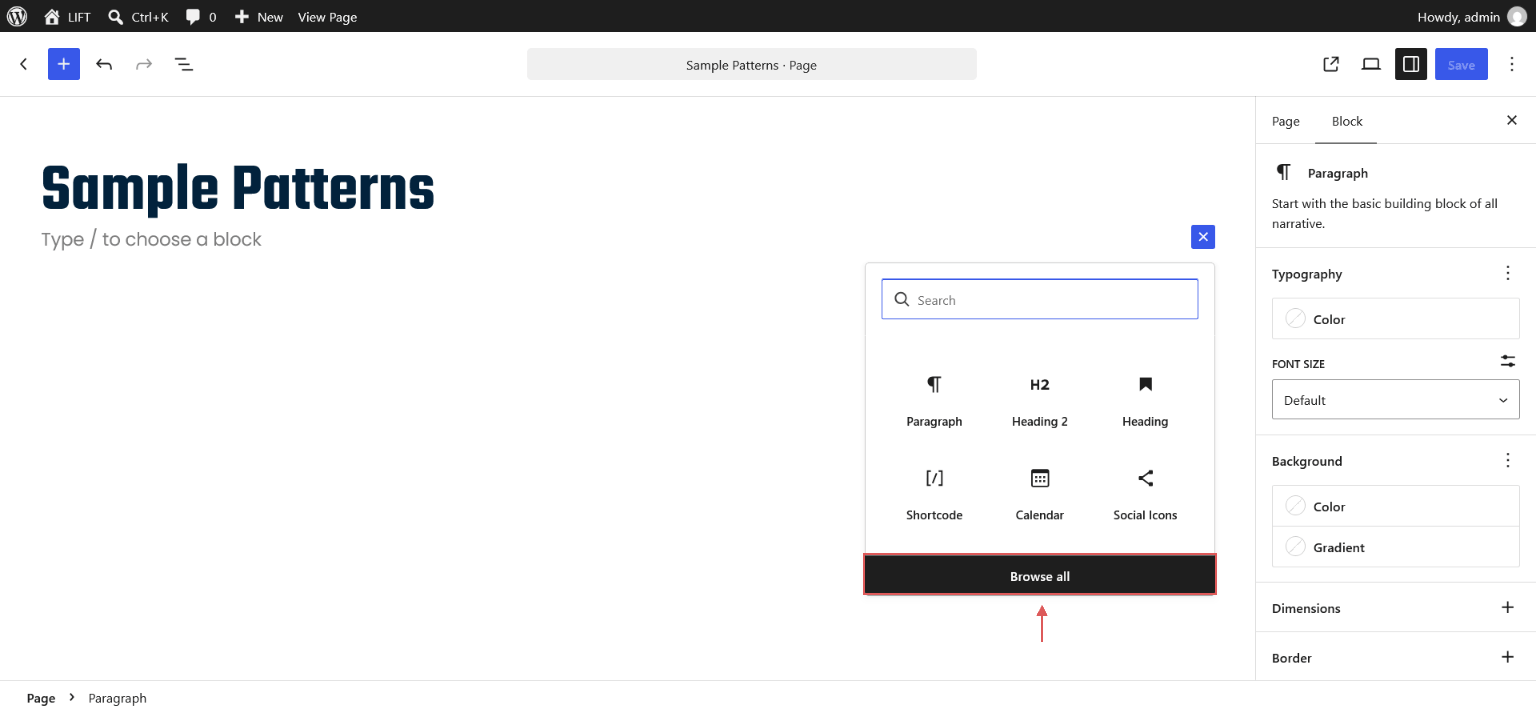
To add a pattern to a page, first click the "+" (Plus) icon. A popup will appear click the "Browse All" button.
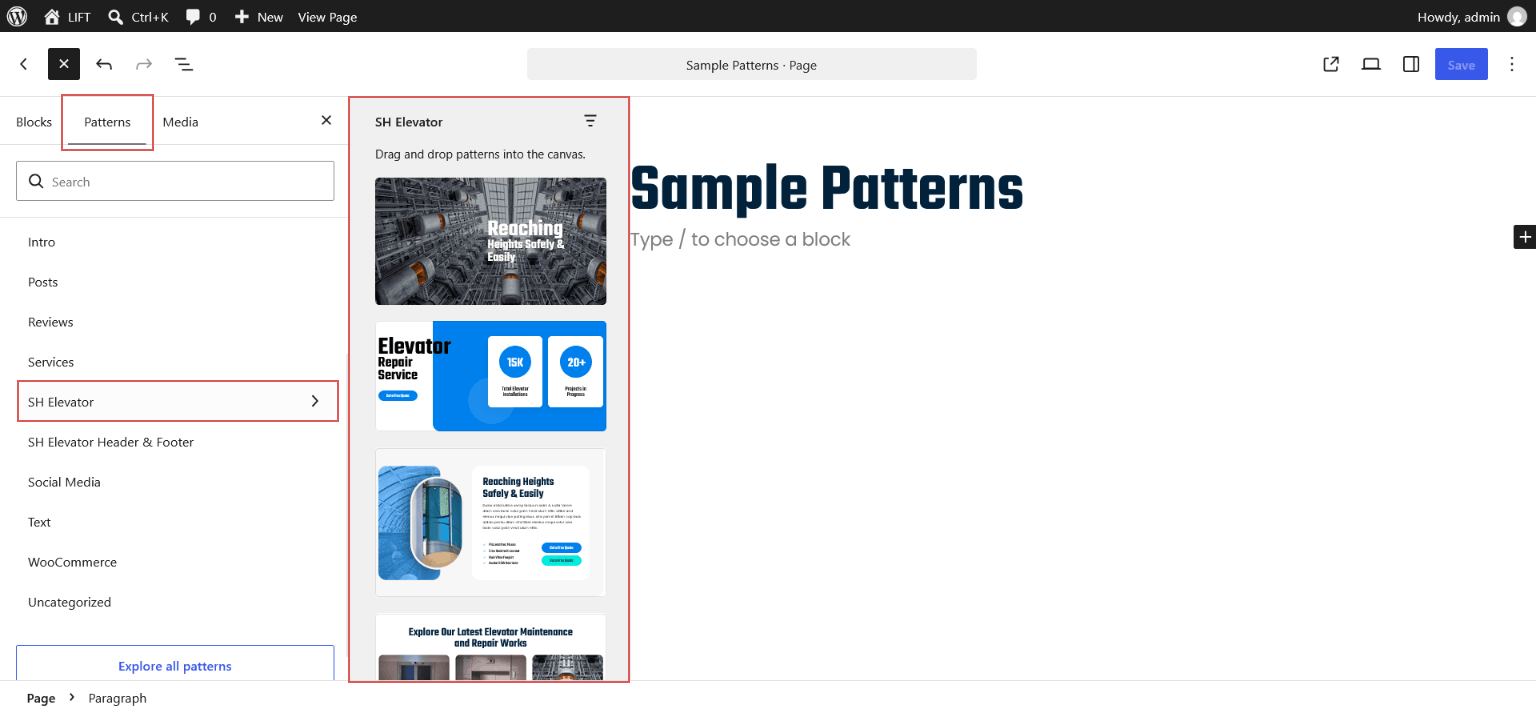
After clicking "Browse All" a panel will open on the left side of the editor with options: Patterns, Blocks and Media. Select Patterns, then choose SH Elevator from the dropdown.
To insert a pattern, simply click on the desired pattern name. The selected pattern will be inserted into the editor.
You can then select individual elements within the pattern and customize them according to your requirements. You can insert any available pattern and modify its content, images, colors, and other elements as needed.
- Hero Banner
- Repair Service Intro & Counters
- About – Reaching Heights
- Latest Works
- Dedicated Repair Services
7. Header & Footer
The header uses a vertical sidebar menu. Edit it from Appearance → Editor → Patterns → Template Parts → Header (same for Footer).
- Change logo: select the Site Logo block and upload your image.
- Change site title / tagline in Settings → General.
- Edit contact info, social icons and copyright text directly in the block editor.
9. Colors, Fonts & Style Variations
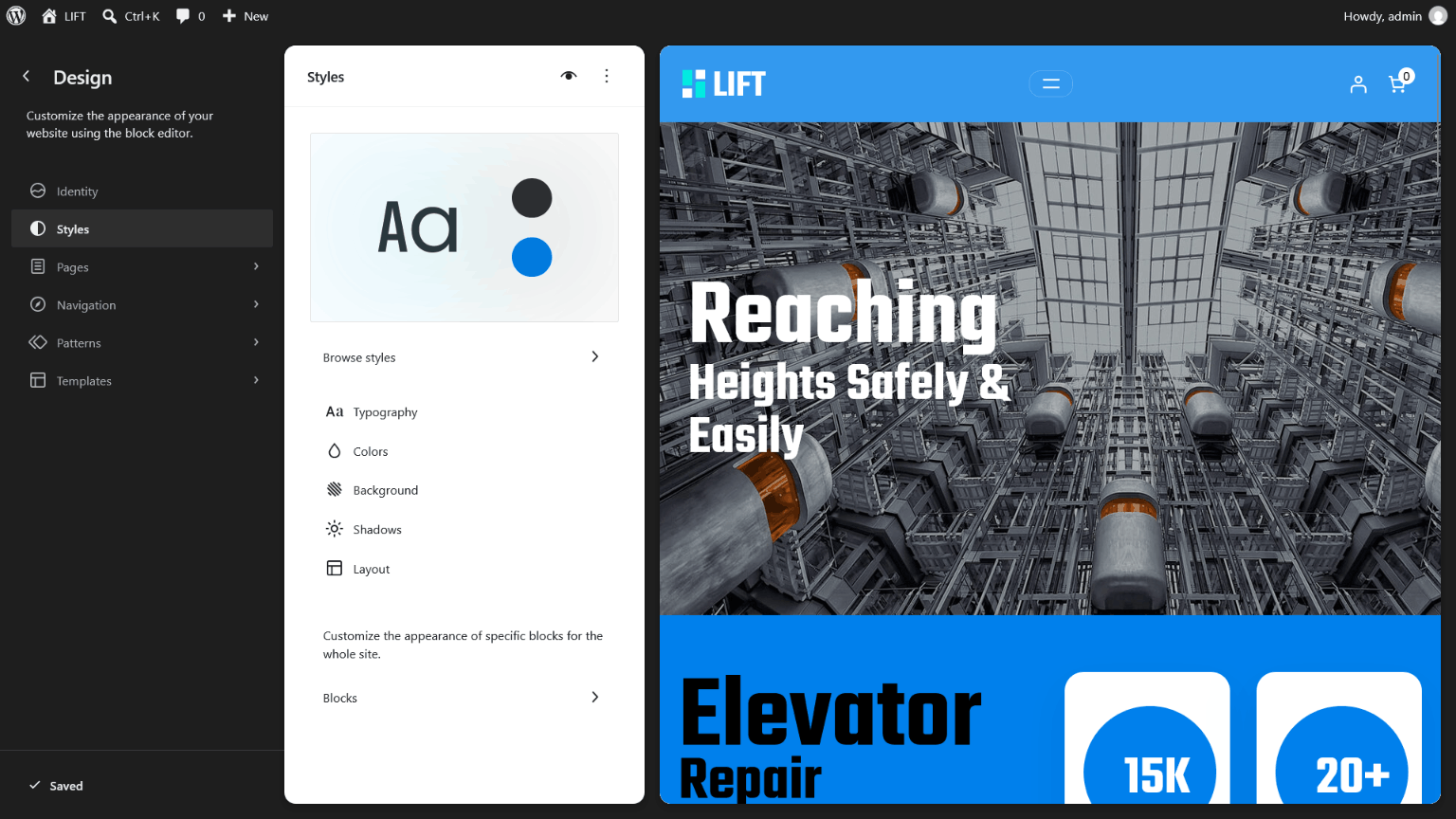
Open Appearance → Editor → Styles.
- Browse styles – choose a variation: Default (Blue), Crimson Lift, Emerald Lift, Sunset Orange.
- Colors – edit the palette: Primary, Accent, Heading, Content, Dark, Navy, Deep, Surface.
- Typography – fonts included: Teko (headings) and Poppins (body).
- Layout – adjust spacing and content width.
10. Custom Block Styles
Select a block, then open Styles in the block sidebar.
| Block | Styles |
|---|---|
| Button | White Pill, Cyan Pill |
| List | Check List, Dot List |
11. Templates
Included templates: Front Page, Index, Single Post, Page, Archive, Search, 404, Full Width, Blank, and WooCommerce templates (Shop, Single Product, Product Category, Product Tag, Product Search, Cart, Checkout).
Assign Full Width or Blank to a page from Page → Template in the page sidebar.
12. WooCommerce
- Install and activate WooCommerce and run the setup wizard.
- Add products from Products → Add New.
- Product gallery zoom, lightbox and slider are enabled by default.
- Edit shop, cart and checkout layouts from Appearance → Editor → Templates.
13. Translation & RTL
The theme is translation ready (languages/sh-elevator.pot) and includes RTL styles.